

Learning Experience
Lesson Player
Where learning happens: video and text lessons, auto-advance to the next item, gated content, and automatic progress tracking.
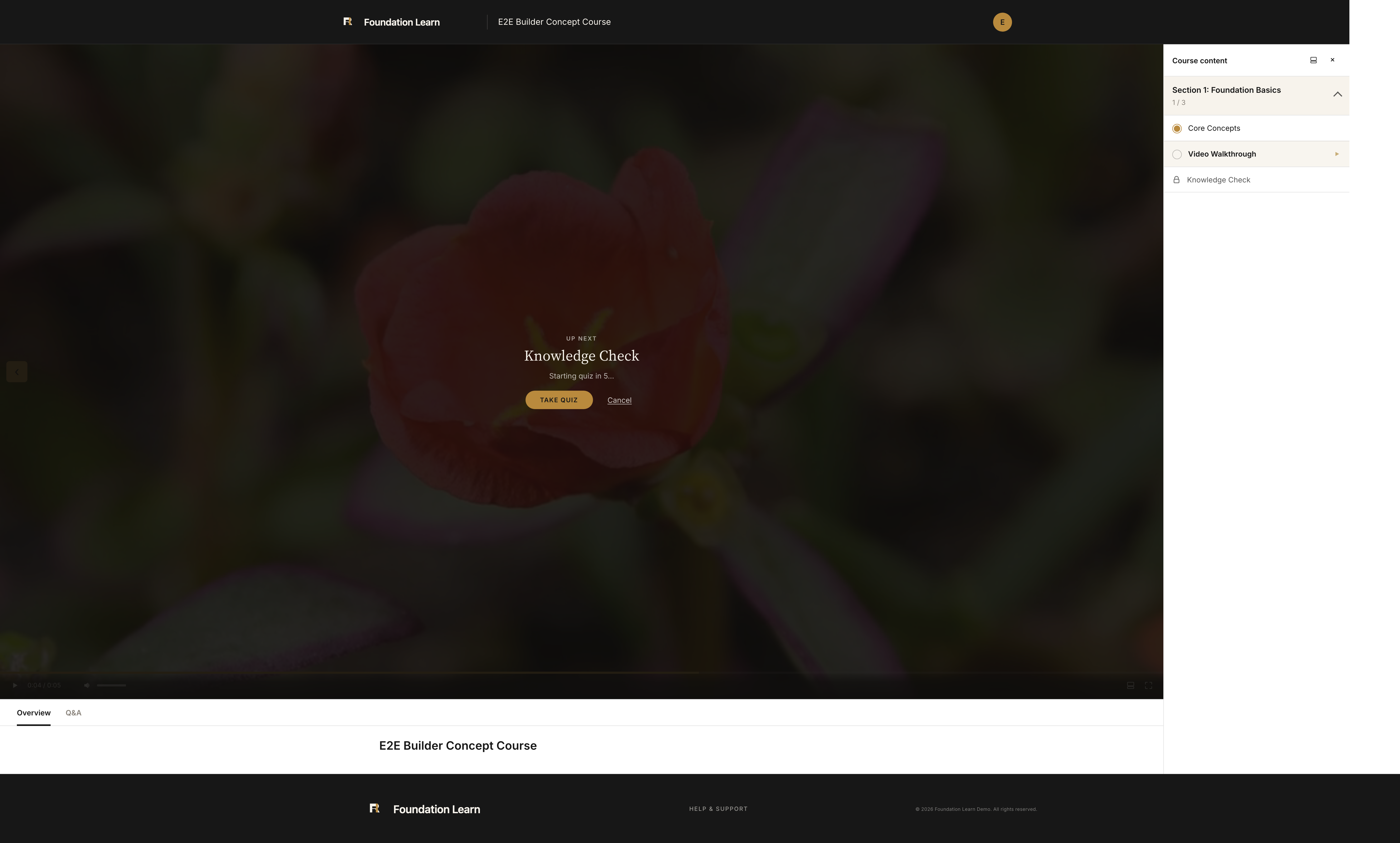
The lesson player is the full-screen learning surface. A Course content panel lists each section and item with per-section progress (for example 1 / 3), a marker on the current item, and a lock on items that are still gated. Overview and Q&A tabs sit beneath the stage.
Video lessons
Video lessons play a YouTube embed or a self-hosted file. By default a video lesson is marked complete automatically when it finishes. Site-wide video scrubbing is off by default, so learners see the progress bar but cannot skip ahead in self-hosted videos; enable scrubbing in the player settings if you want learners to seek freely.
Text lessons
Text lessons render the formatted lesson body for reading-based content and finish with a Mark complete button.
Moving through a course
When an item finishes, the player queues the next one, including an Up next prompt that rolls straight into a quiz. In sequential courses the next item unlocks only after the current one is complete (and after a gating quiz is passed); in open courses every item is available from the start. Progress is saved as the learner goes, so they can leave and resume from My Learning.