

Administration
Certificate Verification
Public, employer-ready proof that a learner earned your certification, without exposing private account data.
Why verification matters when you sell certifications
Certification buyers need more than a PDF attachment. Employers, licensing bodies, and clients want independent proof. A public verification page confirms the credential is genuine without asking learners to forward private emails or screenshots.
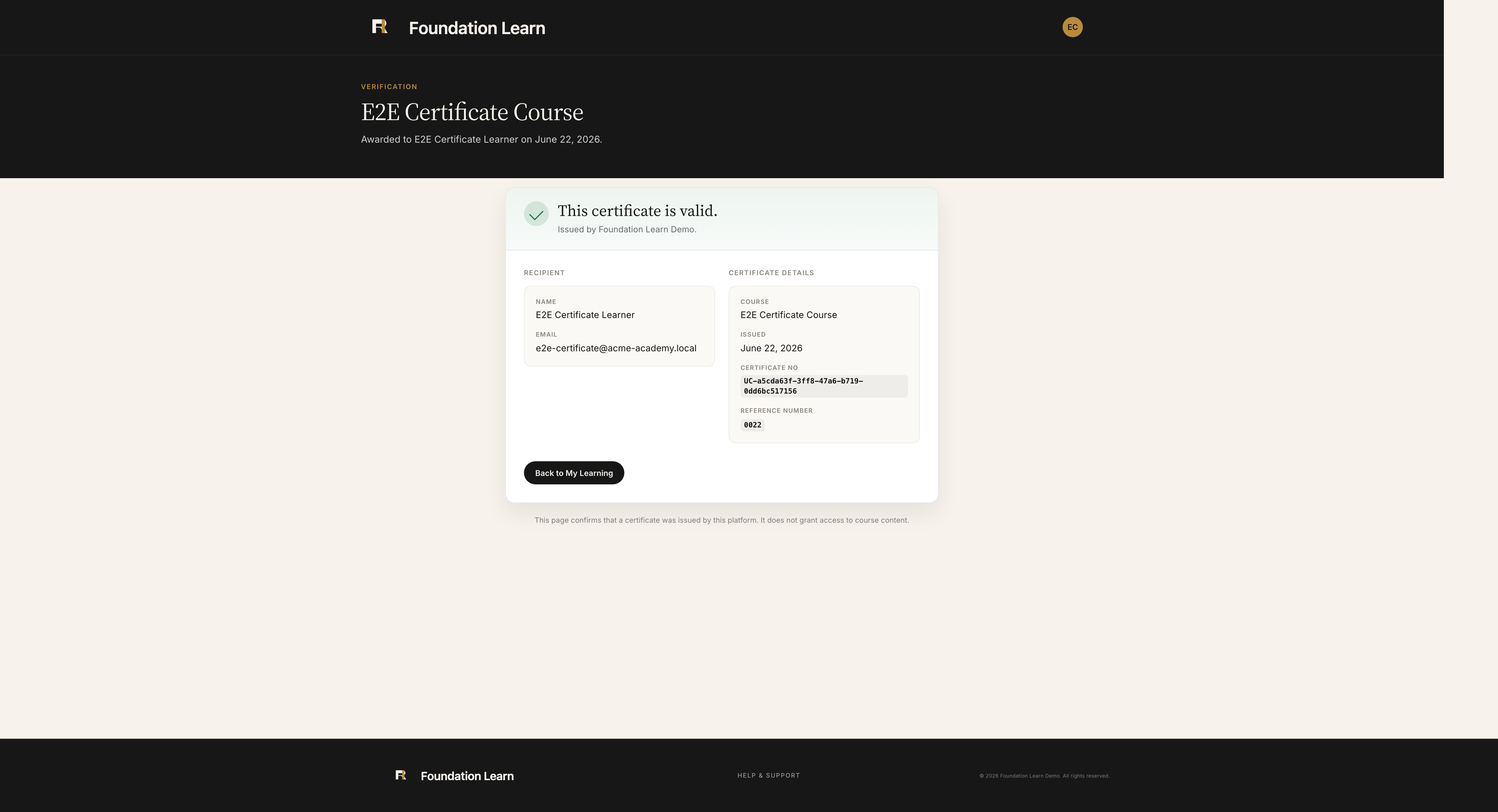
What anyone can confirm on the public page
- Learner name as printed on the certificate
- Course or certification program title
- Issue date and unique certificate number
- That the credential is valid in your academy
- No learner email address or WordPress account access
How the verification URL works
When a learner completes a course, Learn with Foundation writes a row to fl_issued_certificates with a unique UC-… number. The learner gets a PDF plus a public URL on your academy domain (typically /certificate/UC-…). Share that link on the certificate, in LinkedIn posts, or in your program FAQ.
Launch checklist
- Create a certificate template with your organization name and branding.
- Associate it with a course that has completion rules (and quizzes if required).
- Run a test enrollment, finish the course, and open the verification link from My Learning or the PDF.
- Confirm the public page matches your brand and shows the expected learner, course, and issue date.
REST verification endpoint
Integrators can read verification payloads via GET /wp-json/foundation-learn/v1/certificates/verify/{certificate_number}, useful for HR systems, registries, or custom employer portals.